
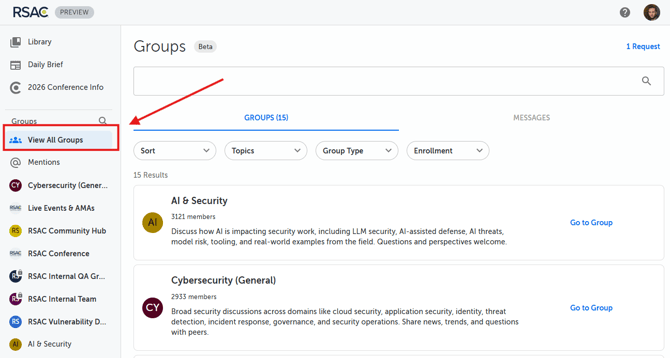
1. Navigate to "View All Groups"
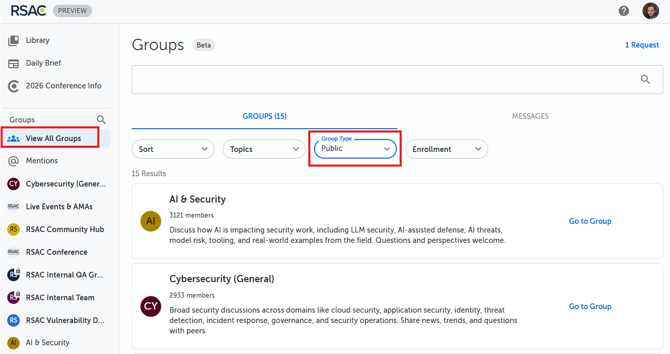
2. Change "Group Type" Filter to "Public"
3. The filter will automatically adjust the displayed Group options
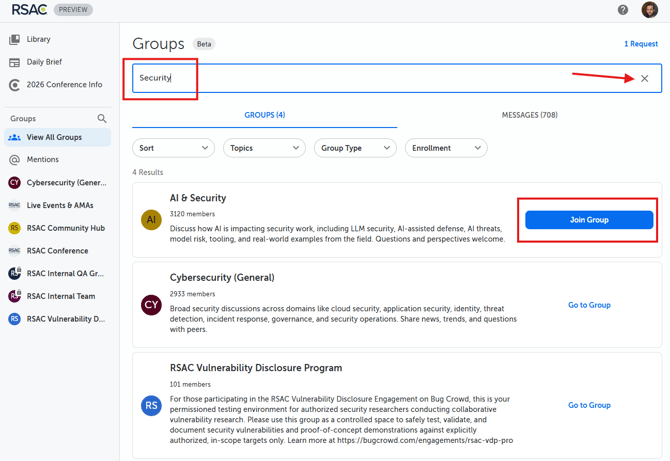
4. You can also use the search bar to Enter a keyword for the type of Group you want to join.
5. Select "Join Group"
🎉Well done, you've successfully joined a Public Group! Now, feel free to engage with your community. Here are some ideas for getting involved:
- Post a challenge you’re currently facing.
- Celebrate a recent win by sharing it with the group.
- Lend your expertise by offering a tip or story about something you just learned.