
First, log in to your Membership at https://portal.onersac.com, then follow these steps:
1. Select "Events," then choose the webcast you would like to register for and attend.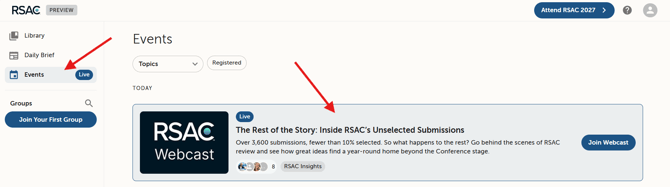
2. Select "Register."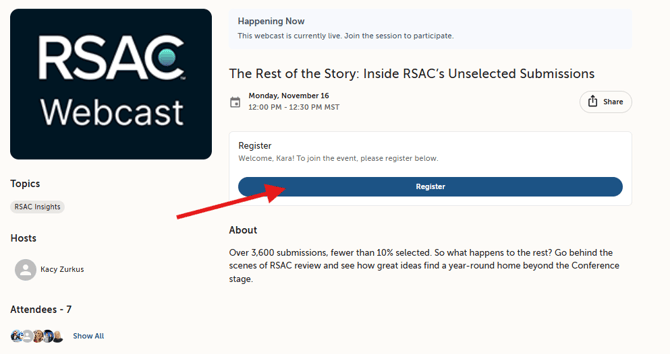
3. Fill out registration details and select "Register."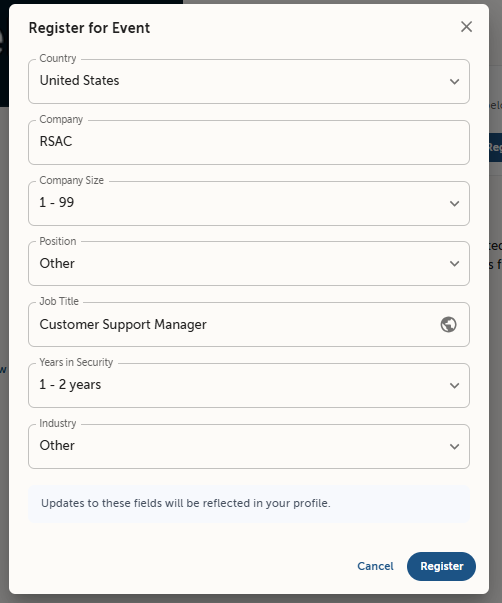
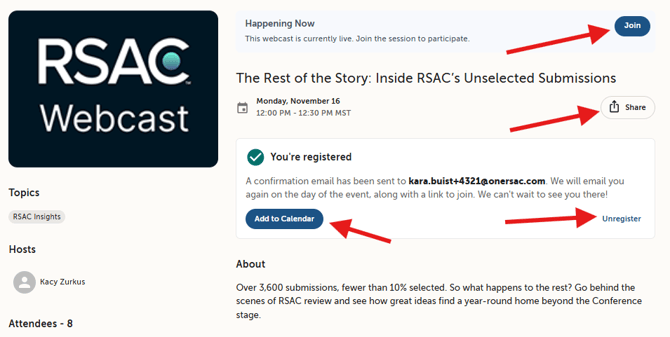
4. After completing registration, you can share the webcast, add it to your calendar, or cancel your registration. When the webcast begins, select "Join" to attend.
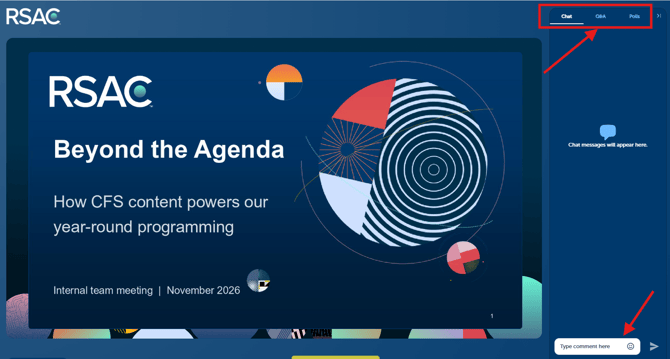
5. After joining the webcast, you can participate in the chat, submit questions through Q&A, and respond to polls when available. Closed captions and other video settings are available near the bottom of the video player.
Additional Webcast Notes:
- If the webcast is eligible for CPE credit, your CPE certificate will be sent to the email address used during registration within 24 hours after you attend the live webcast. Viewing the webcast after its original air date does NOT qualify for CPE credit.
- If you registered for the webcast but were unable to attend live, you will receive an email notification when the recording is available in our Membership Library for on-demand viewing.
- If you experience any issues before, during, or after the webcast, contact our Support Team at support@rsaconference.com. A team member will assist you within one business day.