✅Managing Notifications & Preferences on Web:
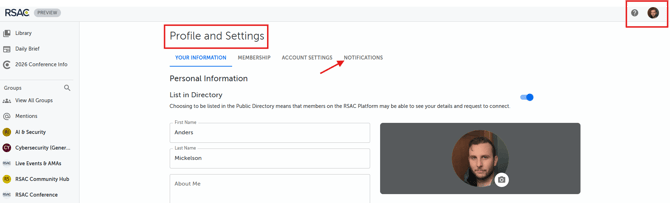
1. Click your profile picture on the top-right hand corner of the page
2. Click on "Profile & Settings"
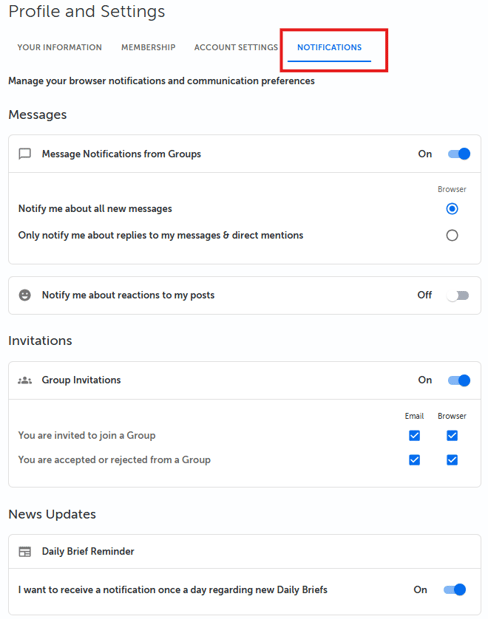
3. Toggle to the "Notifications" tab and update your notification preferences.
👥Muting Singular Group Notifications in Web
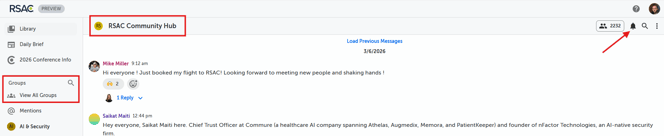
To mute an individual Group notifications, follow these steps:
- Navigate to Groups
- Select the Group you want to mute
- Click on the bell icon in the upper-right-hand corner to mute the notifications for this specific group.
🖥️Web App
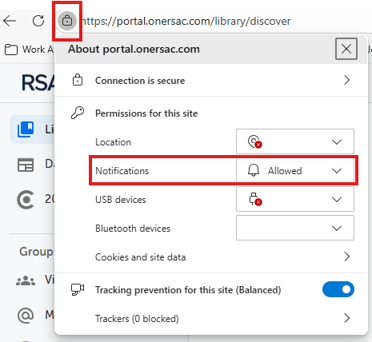
Go to your Web Browser and mute or block notifications
An example would be Chrome: