
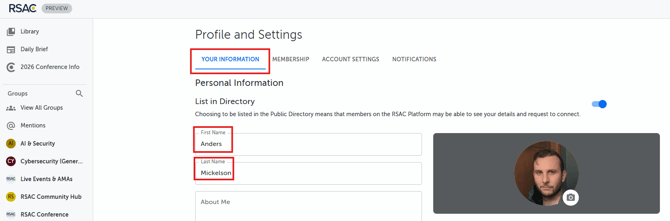
You can update your name within your profile and settings section as noted below:
🖥️Web App:
- Click your profile picture on the top-right hand corner of the page
- Click "Profiles & Settings"
- Update your name under the "Your Information" section
📱Mobile App:
- Click the person icon in the top right corner
- Click "Your Information"
- Update your name
- Please note you will need to complete the ID Verification process again if you completed it previously. Please click here for instructions.
Please note that when you update this name, it will also update your RSAC™ Conference Registration name.
If you have any questions or need a hand, feel free to click the "Contact Us" link in the top right corner of this help center and submit a request.